Deutsch
  España
  Francais
  Polish
  Russian
  Čeština
  Greek
Greek  Lithuania
  Romanian
  Arabic
  Português
  Indonesian
  Croatian
  Serbia
  Farsi
Farsi  Hebrew
  Mongolian
  Bulgarian
  Georgia
  Azerbaijani
  Thai
Thai  Turkish
  Magyar
 How to improve readability in the EduPage mobile app using high contrast
high contrast, readability, app appearance, settings, display


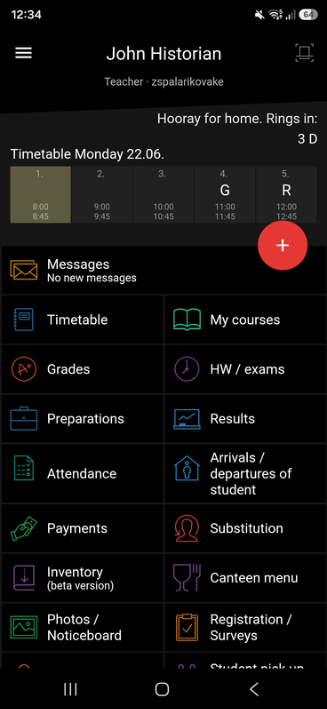
If you need to make texts and control elements in the app more visible, you can turn on high contrast. This feature improves readability and makes elements in the app easier to distinguish.
The procedure is the same on Android and iPhone.
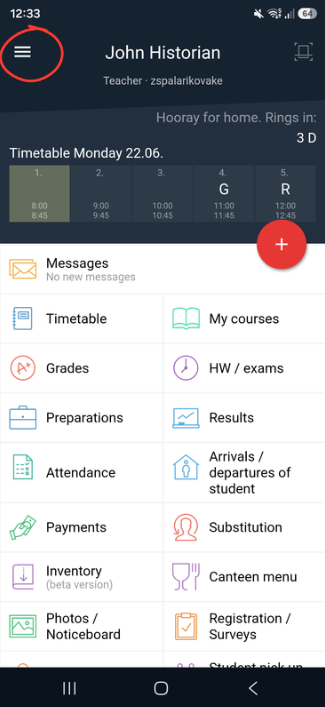
- In the app, open the side panel.
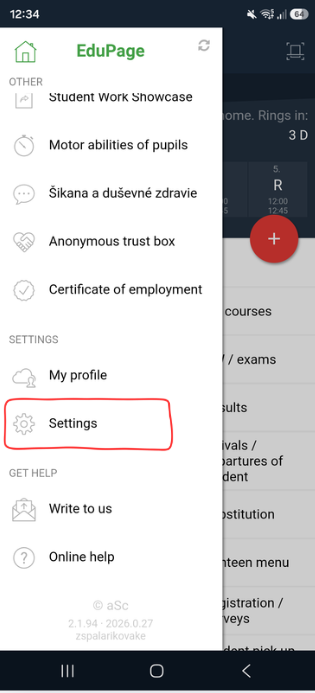
- Click Settings.
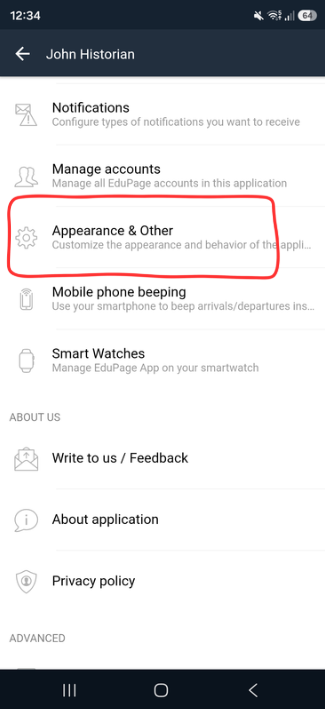
- Open the Appearance & Other section.
- For the High contrast option, select On.
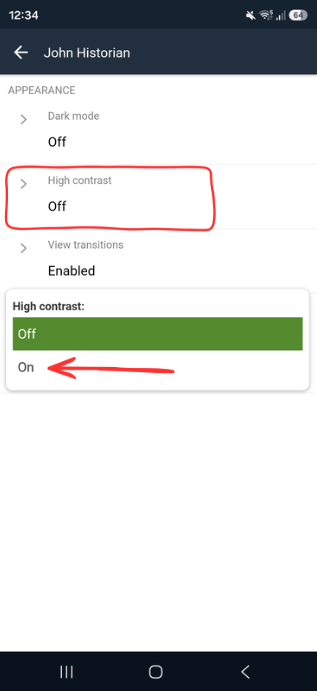
Done
High contrast is now active.