 Deutsch
  España
  Francais
  Polish
  Russian
  Čeština
  Greek
Greek  Romanian
  Arabic
  Português
  Indonesian
  Croatian
  Serbia
  Farsi
Farsi  Hebrew
  Mongolian
  Bulgarian
  Georgia
  Azerbaijani
  Thai
Thai  Turkish
  Magyar
 How to set a student's end of study date?


You can set an end of study date for a student during the school year.
This prevents the student from being imported into the new school year.
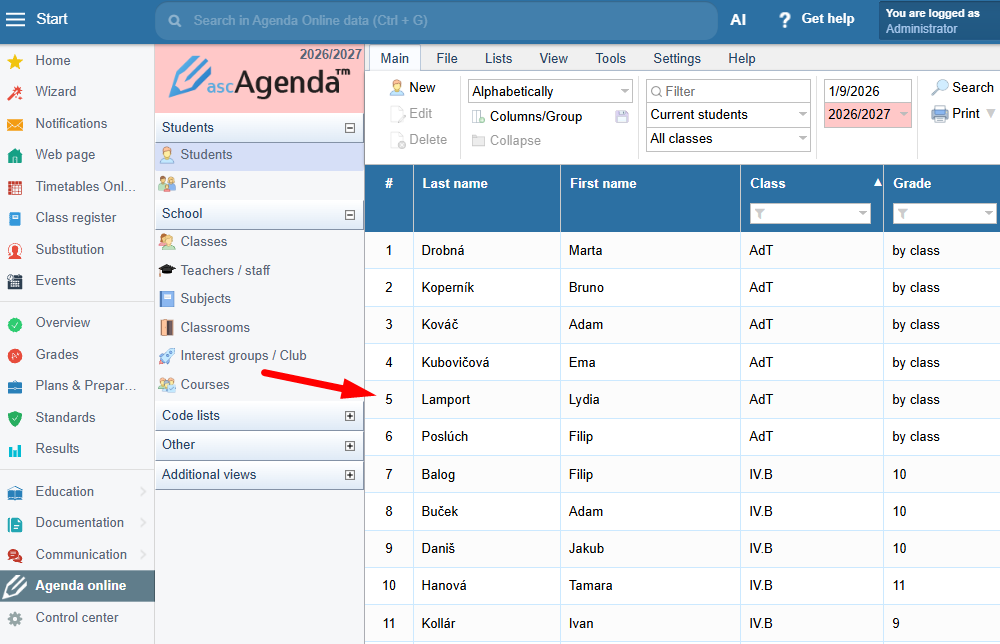
Open the Agenda online / Students section, search for the specific student, and open their record by double-clicking it:
Open the Studies section and enter the end of study date:
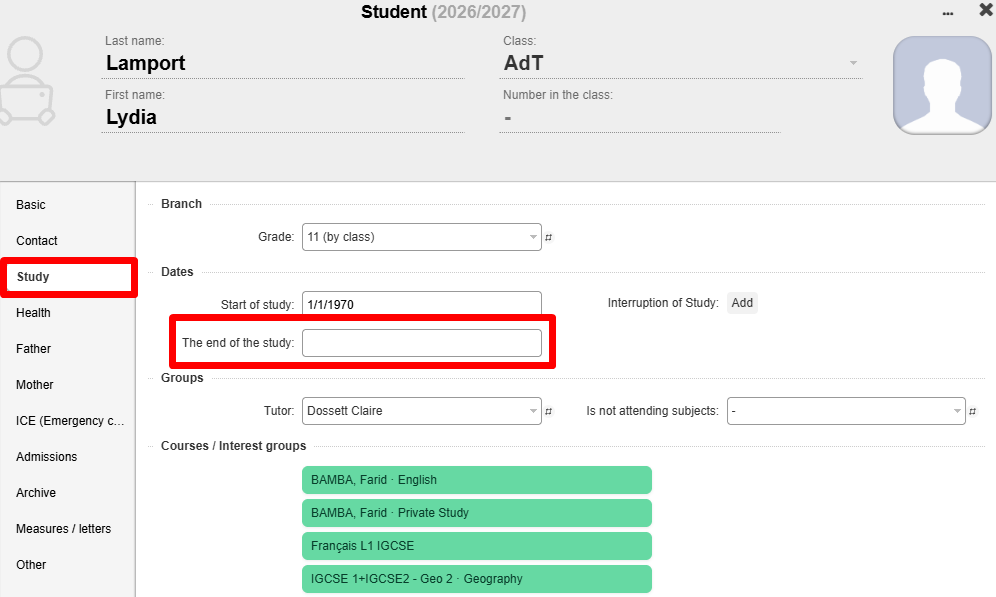
Done, you have successfully set the student's end of study date.
---
Important information regarding how long the student can log into the EduPage site:
<span style='font-size: 11pt;'>If the end of study is set in any other month, the student can log in for 30 days after the end of study date.</span>